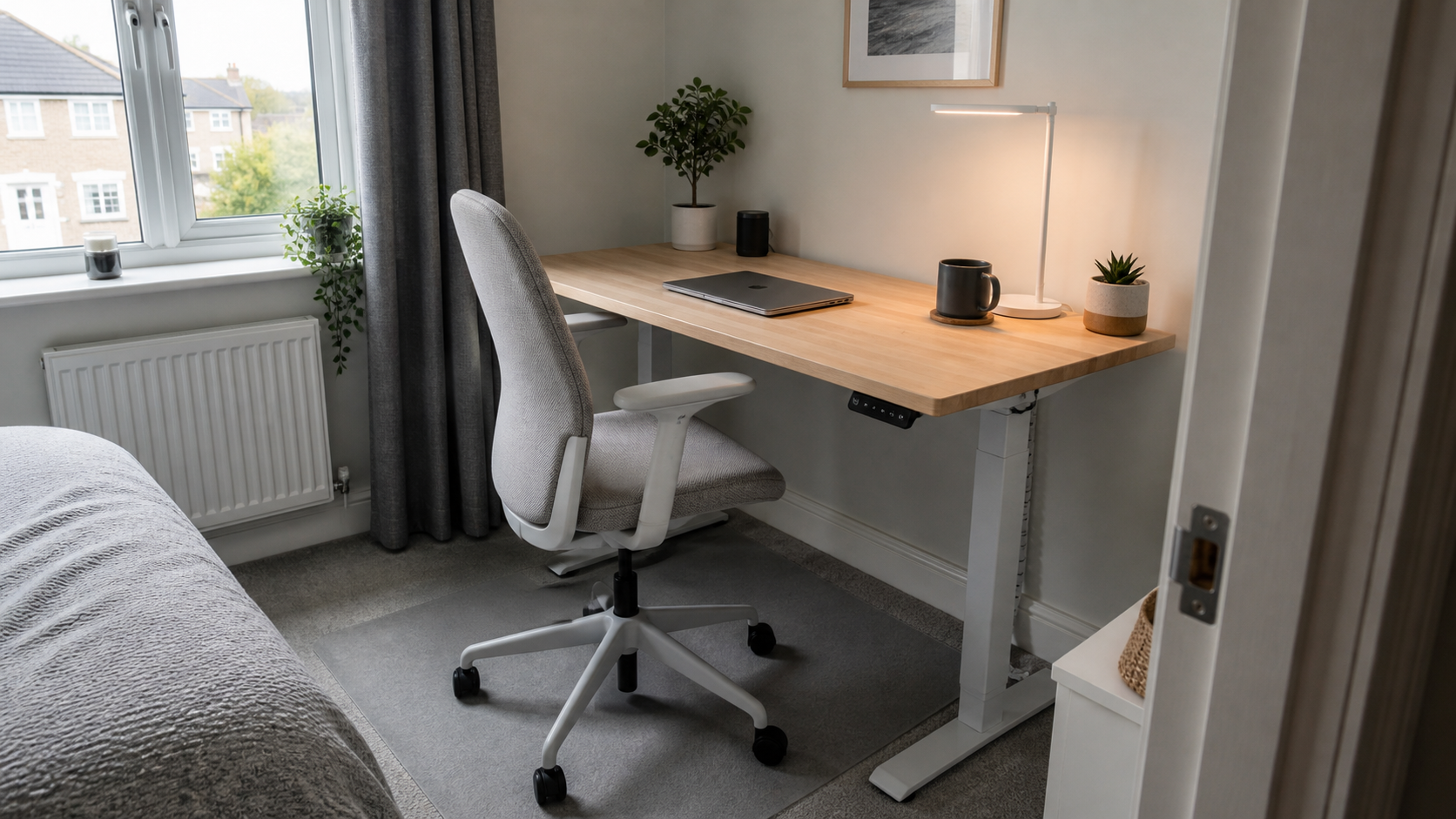
Armrest Height & Desk Fit: Quick Setup Guide
Guidance checked: 3 June 2026. This is practical setup guidance, not medical advice. If you have persistent pain or symptoms, speak to a qualified professional.
Armrest height desk UK setup is mostly about fit, not a perfect posture diagram. The chair arms should support relaxed forearms when useful, but they should not stop the chair moving close to the desk or force your shoulders upwards.
For many UK home offices, the real problem is a fixed-height desk, a budget chair with fixed arms, or a compact desk that leaves no room for the chair to tuck in. Start with chair height and keyboard reach, then decide whether the armrests are helping or getting in the way.
TL;DR: Set chair height first, keep your shoulders relaxed, check that the armrests fit under or beside the desk, and remove or lower them if they make you sit too far away.
- Fixed-height desk: raise the chair until typing feels relaxed, then use a footrest if your feet no longer sit flat.
- Compact desk: make sure the armrests do not hit the desktop before the chair is close enough.
- Chair with fixed arms: check whether the arms force your elbows out or shoulders up.
- Chair without arms: support your forearms lightly on the desk only if it keeps the shoulders relaxed.
- Standing desk: set seated and standing heights separately, then re-check keyboard and mouse reach.
Armrest Height Desk UK: The Quick Fit Test
Sit close enough that your keyboard and mouse are easy to reach without stretching your arms forward. Your shoulders should feel dropped rather than lifted. If the armrests are too high, they can push the shoulders up; if they are too low, you may ignore them completely or lean to one side.
Now move the chair towards the desk. If the armrests hit the desktop before your hands can reach the keyboard comfortably, the chair does not fit that desk well. Lower the arms, slide them back if possible, remove them if the chair allows it, or use the chair without relying on the armrests.
For a fuller chair choice, use our budget ergonomic office chair guide. If the desk itself is too shallow or narrow, the compact desk guide may fix more than another chair adjustment.
Set the Chair Before the Armrests
Start with seat height. Raise or lower the chair until your hands can use the keyboard and mouse without the shoulders bunching up. On many fixed-height desks, this means the chair ends up slightly higher than expected, especially for shorter users.
If your feet do not sit comfortably on the floor after the chair height feels right, use a stable footrest rather than dropping the chair too low. A low chair can make the desk feel too high, which then encourages raised shoulders and awkward wrist angles.
Only after that should you adjust the armrests. Treat them as light support, not as something you must press into all day. HSE guidance on display screen equipment focuses on assessing and adjusting the workstation, reducing risks and taking breaks, not holding one rigid position for hours.
When Armrests Help
Armrests help most when they let your forearms rest lightly between typing bursts, video calls or reading. They can also make a chair feel more stable when you sit down and stand up, especially in a tight bedroom or spare-room setup.
Adjustable armrests are usually more useful than fixed arms because they can sit below the desk edge or move out of the way. If you use a compact chair at a small desk, check both height and width: the arms may clear the desktop but still stop the chair fitting between the desk legs.
Armrests are less important than the basics: stable chair, sensible seat height, relaxed shoulders, keyboard within easy reach and enough space to move. If the arms make those things harder, they are not doing their job.
When Armrests Get in the Way
The most common problem is the armrest hitting the desktop. This pushes the chair back, so you end up reaching for the keyboard and mouse. The setup can look fine from the side but still feel wrong because your elbows are floating forward all day.
Another warning sign is shoulder lift. If your armrests are set too high, your upper arms may creep upwards, especially when typing. Drop the arms, move the keyboard closer, or use the desk surface for occasional forearm support instead.
Fixed arms can also be awkward with narrow desks. If you are buying a chair for a small room, measure the space under the desk and compare it with the armrest height and chair width before buying. This is especially important for desks around 70-100 cm wide.
Desk Height, Keyboard Reach and Foot Support
A fixed desk is often around a standard furniture height, but that does not mean it fits every person. If the desk feels high, lift the chair until the keyboard is comfortable and solve the foot position afterwards. If the desk feels low, avoid hunching down to meet it.
Keep the keyboard and mouse close enough that your elbows stay near your sides. If the mouse is far away, armrest height will not solve the reach problem. Move the mouse mat inwards, clear unnecessary desk items, or use a more compact keyboard if space is tight.
If you are using a sit-stand setup, our standing desk under £200 guide explains the trade-offs between full desks and converters. Re-check chair and armrest fit whenever you change desk height or add a keyboard tray, monitor arm or laptop stand.
Common Small-Space Problems
In bedrooms and flats, the chair often has to tuck under the desk at the end of the day. Armrests that stick out or sit too high can make the room feel more cluttered because the chair is always left half out. If visual calm matters, choose arms that fit under the desk or pick an armless chair.
Another issue is drawers. A desk with a central drawer or low front rail may block armrests even when the desktop height looks fine. Measure the lowest obstruction, not only the desktop surface.
For shared rooms, keep the setup easy to reset. Mark the chair height if more than one person uses it, keep the keyboard and mouse in the same place, and do not rely on tiny adjustments that nobody will repeat tomorrow.
Wrap-Up
The best armrest setup is the one that lets you sit close enough, type without raised shoulders and reset the room easily. Set the chair and desk fit first, then use armrests only if they support the setup rather than blocking it.
Q: Should armrests fit under the desk?
A: Ideally, yes, or they should sit low/back enough that the chair can move close to the keyboard and mouse. If the arms hit the desk too early, they may make you reach forward.
Q: Are office chair armrests necessary?
A: No. They can help, but a chair without arms can work well if the desk height, keyboard reach and foot support are sensible.
Q: What if my desk is too high?
A: Raise the chair until typing feels relaxed, then use a stable footrest if your feet no longer rest comfortably on the floor.
Thank you for reading this post. Don’t forget to subscribe!